
Family Photo Backup Setup
Create a practical backup system for family photos and videos stored across phones, computers and other compatible devices, with additional copies maintained in suitable storage locations.
Keep important family photos, videos and personal memories organized and protected with a reliable backup approach. We help families plan, organize and maintain photo backups across computers, phones, external storage and compatible cloud platforms so valuable memories are not dependent on a single device.
From organizing photo libraries and creating additional backup copies to cloud storage setup, device transfers and long-term storage planning, our family photo backup services help reduce the risk of losing valuable photos and videos when devices fail, storage becomes full or files are accidentally removed.
Create a practical backup system for family photos and videos stored across phones, computers and other compatible devices, with additional copies maintained in suitable storage locations.
Configure compatible cloud storage for family photos and videos so additional copies can be maintained outside your primary device and accessed through supported accounts and devices.
Move family photos and videos between compatible phones, computers, external drives and storage locations while keeping files organized during the transfer process.
Organize large photo collections into practical folders, dates, events or other suitable categories to make important family memories easier to locate, manage and back up.
Reduce dependence on one phone, computer or storage device by maintaining additional copies of important photos and videos across suitable backup locations.
Review existing photo storage, available backup copies and storage capacity to identify photos that may not be backed up and areas where your backup arrangement needs attention.

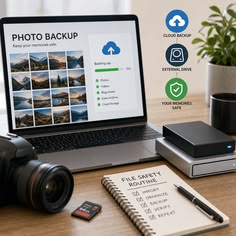
Family photos are often spread across phones, old computers, external drives and online accounts. We focus on identifying where your memories are stored, organizing important files and creating practical backup arrangements so your photo collection does not rely entirely on one device or storage location.
We review the devices and storage locations containing your family photos and videos before planning backup copies, helping reduce gaps where important memories may remain unprotected.
We help create additional copies across suitable storage locations so a lost phone, damaged computer or failed storage device does not leave your only photo collection at risk
We structure photo collections and backup locations so new family photos can be added, located and managed more easily as your collection continues to grow.
Family photos are often spread across phones, old computers, external drives and online accounts. We focus on identifying where your memories are stored, organizing important files and creating practical backup arrFamily memories can accumulate across years of smartphones, computers, cameras, messaging apps and external drives. As devices are replaced or storage becomes full, older photos may become difficult to locate or remain stored in only one place. A structured photo backup approach helps keep important memories organized while maintaining additional copies in suitable storage locations. angements so your photo collection does not rely entirely on one device or storage location.
Keeping the only copy of family photos on a phone, laptop or computer creates unnecessary risk if that device is lost, damaged, replaced or experiences storage failure.
Photos spread across multiple phones, old computers, memory cards, external drives and online accounts can make it difficult to know which memories have actually been backed up.
Growing photo and video libraries can consume significant storage space, making it harder to save new memories and manage existing files without a clear storage plan.
Automatic backup settings can change, accounts can run out of storage and some folders may not be included, leaving families unsure whether recent photos have been successfully copied.
We organize backup locations around your existing devices, photo collection and available storage so important memories are not unnecessarily dependent on a single location.
We focus on practical file organization that makes family photos and videos easier to locate, transfer and include in ongoing backup routines.
We review available device, external and compatible cloud storage to help create a backup arrangement that can accommodate your current collection and future photos.
Our family photo backup process begins by identifying where your photos and videos are currently stored. We then organize important files, plan suitable backup locations, create additional copies and review the arrangement to help keep your growing collection manageable.
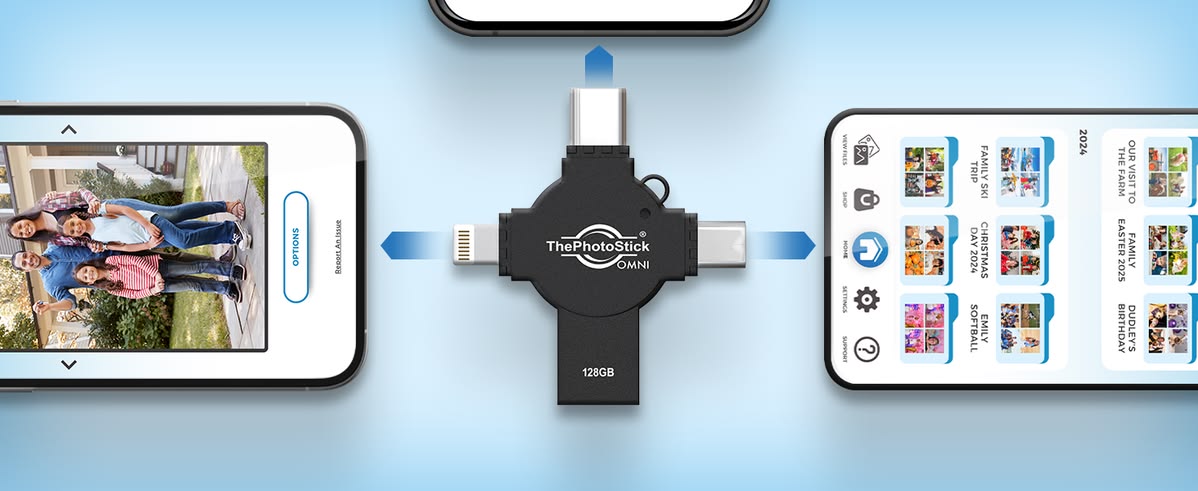
We review compatible phones, computers, external storage and existing cloud locations to understand where important family photos and videos are currently stored and which files require backup.
We organize relevant photos and videos into practical folders or categories where appropriate, helping make large collections easier to understand, transfer and manage.
We copy important photos and videos to suitable backup locations, such as compatible external storage or cloud services, according to the planned backup arrangement.
We review backup locations, available storage and important photo collections to identify potential gaps and help establish a more manageable approach for future family photos.
Find answers to common questions about backing up family photos, cloud storage, external drives, phone transfers, photo organization and protecting growing collections of digital memories.
Phones, computers and storage devices can be lost, damaged or experience hardware problems. Keeping additional copies of important family photos and videos reduces dependence on a single device and makes valuable memories easier to preserve.
Photos can be backed up to suitable locations such as external storage devices and compatible cloud storage services. The appropriate approach depends on the size of your photo collection, devices, available storage and accessibility preferences.
Yes. Photos and videos stored across compatible phones, computers and storage devices can be reviewed and transferred into a more organized backup arrangement based on your existing collection and storage requirements.
Both can serve different purposes. Cloud storage can provide convenient access across supported devices, while external drives can provide a separate local copy. Using more than one suitable backup location can reduce reliance on any single storage method
Your devices, photo folders, cloud settings and existing backup locations can be reviewed to identify where photos are stored and whether important collections have additional copies. Regular reviews are useful as new photos and videos are added.