
Email & Attachment Backup
Create backup copies of important emails and supported attachments so essential conversations, documents, invoices and other mailbox information are not dependent on a single account or device.
Protect important business and personal email data from accidental deletion, account issues, device failure and unexpected data loss. We help configure practical email backup solutions for messages, attachments, folders and other supported mailbox data so important communication remains available when you need it.
From reviewing your existing mailbox and identifying important email data to configuring suitable backup methods and verifying saved information, our email backup service helps create an additional copy of valuable messages, attachments and supported mailbox content for easier recovery and long-term access.
Create backup copies of important emails and supported attachments so essential conversations, documents, invoices and other mailbox information are not dependent on a single account or device.
Back up selected inbox, sent, archive and custom mailbox folders based on the email platform and available backup options to preserve important communication in an organized format.
Create backup copies of compatible locally stored email files and archives used by supported desktop email applications to help protect information stored directly on your computer
Help protect important business correspondence, attachments and supported mailbox information with a backup approach designed around your email platform, account structure and communication requirements.
Configure available email backup methods, storage destinations and supported backup settings based on your mailbox platform, data requirements and preferred backup approach.
Review completed backups and selected mailbox data to confirm that important messages, folders and attachments have been included and identify information that may require additional attention.
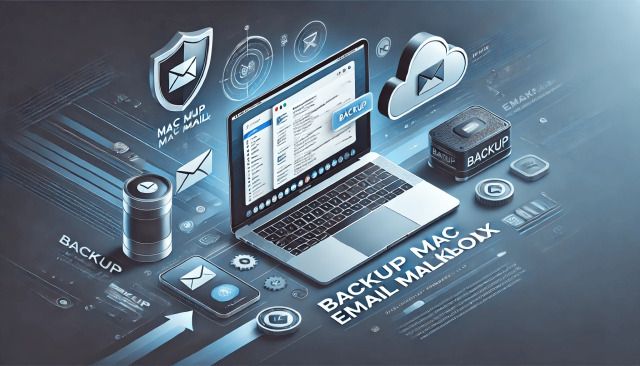
Email backup involves more than saving a few important messages manually. We focus on identifying valuable mailbox data, selecting suitable backup methods and verifying stored information so important emails and attachments have an additional layer of protection outside everyday mailbox use.
We review mailbox folders, important messages, attachments and locally stored email data to determine what should be included and which available backup method fits your email environment.
We follow a structured approach for backing up compatible mailbox information, helping maintain useful organization while reducing the risk of important conversations being overlooked.
We review selected backed-up messages, folders and attachments to confirm accessibility and identify unsupported or missing information that may require additional action.
Email accounts often contain years of valuable communication, business records, invoices, attachments, customer conversations and account information. Important messages may be spread across inbox folders, archives, sent mail and locally stored email files. A structured backup approach helps create an additional copy of essential mailbox data so important information is not dependent entirely on one account, application or device.
Years of messages and large attachments can create significant mailbox data, making complete backups more demanding in terms of storage capacity, transfer time and organization.
Important messages may be stored across the inbox, sent items, archives and custom folders, making it easy to overlook valuable communication when saving emails manually.
Different email providers and desktop applications may store, export or synchronize mailbox information differently, requiring suitable backup methods for each environment.
A backup created once and never reviewed may not contain recent messages or newly created folders, reducing its usefulness when current email data needs to be recovered.
We identify important messages, folders, attachments and supported email information that should be included so the backup focuses on communication and data you need to retain.
We back up compatible mailbox information using appropriate methods and storage locations while maintaining a practical structure for easier access when required.
We review selected backed-up folders, messages and attachments to help confirm that important email data is available from the chosen backup location.
Our email backup process begins by reviewing your mailbox, email platform and important data before preparing the backup environment, saving compatible mailbox information and checking key messages, folders and attachments.

We identify important emails, attachments, inbox folders, sent items, archives and supported local email data while reviewing mailbox size, storage requirements and available backup options.
We determine which messages and folders should be protected, review suitable storage destinations and prepare a structured backup approach based on your email platform and mailbox requirements.
We back up selected compatible emails, attachments, folders and supported mailbox information using an appropriate method and organize the saved data for practical future access.
We review important folders, selected messages and attachments after backup to confirm accessibility and identify missing, unsupported or additional mailbox data that may require attention.
Find answers to common questions about backing up emails, attachments, mailbox folders, locally stored email data, storage requirements and preparing your account for backup.
Depending on your email platform and available options, backups may include messages, attachments, inbox folders, sent mail, archives and other compatible mailbox information. Locally stored email files may also be backed up when supported by the email application.
In many cases, large portions of a mailbox can be backed up, but available options depend on the email provider, account type, mailbox configuration, storage limits and supported export or backup metho
Yes, supported attachments associated with backed-up messages can generally be included. The exact process may vary depending on the email platform, attachment size and backup method being used.
No. A standard email backup creates an additional copy of supported mailbox data without intentionally removing the original messages from your active email account. Mailbox cleanup or deletion should be handled separately.
Backup frequency depends on how frequently your mailbox receives important information and how critical that communication is to your work or personal records. Businesses with frequent email activity may benefit from a more regular backup schedule than accounts with limited use.